The Last Mile Is in Your Pocket: When a PDF Hands the Scam to Your Phone
The attachment that doesn't look like an attachment
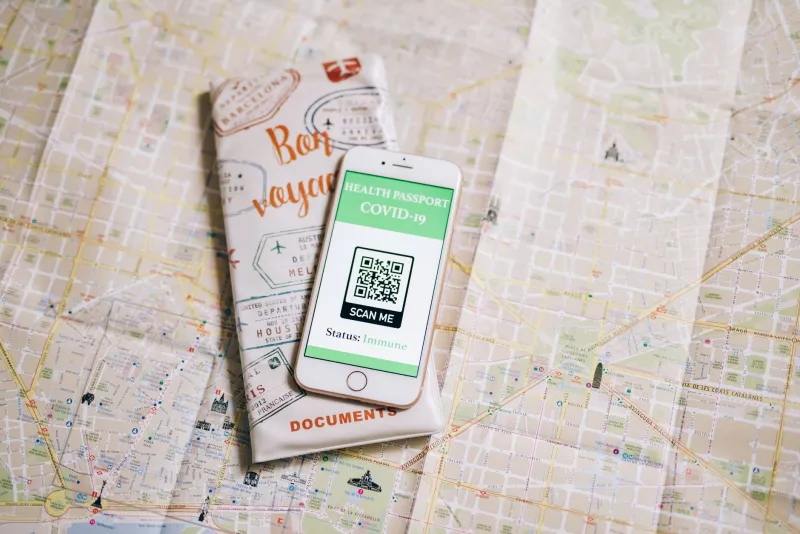
A PDF arrives with a name like DVLA_Vehicle_Tax_Refund_2026.pdf. It opens to a tidy letter: DVLA-ish logo, a reference number, a refund amount of £340.12, and a deadline that is just close enough to feel urgent. There is no link to hover over. No button. No obvious spelling mistake. Just a QR code and a line that says: Scan with your phone camera to verify your bank details.
On a managed laptop, that email may look almost boring. The PDF has no macro, no embedded executable, and no JavaScript. The sender authentication might even pass because the message came from a compromised UK business account rather than a freshly spoofed domain. The attachment sandbox opens the file, sees a document, extracts some text, and finds nothing obviously hostile. The visible URL reputation check has nothing to chew on because there is no visible URL.
Then the recipient does exactly what the letter asks. They pick up their personal phone, scan the square, and land on a page that asks for a sort code, account number, date of birth, and maybe a card detail or two. That page is not on corporate Wi-Fi. It is on 4G, outside the proxy, outside the DNS filtering, and outside the browser isolation that protects the laptop. The scam has just taken the last mile in someone's pocket.
Why the filter sees a picture, not a destination
Most secure email gateways are good at parsing text and following links. They rewrite URLs, check domain reputation, detonate attachments, and look for known malware patterns. A QR code is a different problem. It is an image, or sometimes a vector graphic, that encodes a URL in pixels. To a gateway that is not specifically decoding QR codes, it is just a square in a PDF.
Some sandboxes do run OCR and image analysis. Some can decode QR codes. Many do not, or they do it only for certain file types and not reliably for low-contrast, rotated, or multi-part codes. Even when a sandbox does extract the destination, it may visit from a datacentre IP with a desktop user agent. A scam page can show a harmless placeholder to that visitor and only reveal the credential form to a mobile device on a UK consumer network. Reputation services cannot flag a domain that has not been widely reported yet, and a freshly registered lookalike can stay clean long enough to catch a few hundred scans.
The awkward truth is that the PDF is not malicious in the traditional sense. It is a piece of paper with a phone number for your camera. Attachment sandboxing is looking for code execution; this lure is looking for a device switch.
The device switch is the actual vulnerability
Corporate laptops tend to have layers: endpoint detection, web proxies, DNS filtering, conditional access, browser isolation, and a security team that can see logs. Personal phones often have none of that. A QR code is a simple, low-tech air gap bridge between the two. It moves the conversation from a monitored device to an unmanaged one, and it does so with the user's full cooperation because scanning a code feels helpful, modern, and slightly official.
UK lures in 2026 lean on exactly this. HMRC refunds, DVLA vehicle tax, Royal Mail redelivery fees, TV Licence payments, and council tax rebates all work because they are mundane. The PDF format adds a second layer of trust: people expect official letters to be attached, not pasted into the email body. The QR code adds a third: it feels like a security measure rather than a risk.
Practical checks for UK tech teams
1. Test your gateway with a benign QR PDF
Before you assume you are covered, make a harmless PDF containing a QR code that points to a URL you control. Send it through your own email security stack from an external address. Does the gateway decode it? Does it extract the URL? Does it rewrite or block it? Can you see the decoded destination in the logs? If the answer is no, you have found the blind spot. Document it and take it to your vendor.
2. Add a QR-aware pre-processing step
If your secure email gateway cannot decode QR codes, put a small pre-processing step in front of it for external PDFs and image attachments. Extract embedded images, decode the QR payloads, and check the resulting URLs against your threat intelligence and newly registered domain feeds. This does not need to be glamorous. A script that runs zbar or a similar decoder over extracted images can surface destinations that your existing URL reputation engine never saw.
3. Use policy, not blanket blocking
Banning all PDFs or all QR codes will annoy the finance team and break legitimate processes. A better policy is targeted: external PDFs that contain a QR code plus finance, tax, refund, or payment keywords go to quarantine or get a prominent warning banner. Internal QR codes and known supplier documents can be allowed. The aim is to make the square legible to your security stack, not to outlaw squares.
4. Treat mobile as part of the estate
If staff use personal phones for work, enforce a work profile with DNS filtering where your MDM allows it. Use conditional access so that work data cannot be opened on an unmanaged device without protection. Accept that you cannot control a personal camera, and educate around the handoff: if an email asks you to scan a QR code to log in, pay, or verify bank details, treat it like a link from a stranger. Give people a one-click report button and make reporting feel useful rather than embarrassing.
5. Hunt for the pattern in mail logs
Search for external PDF attachments with a high image-to-text ratio and little or no extractable text. Look for messages that mention refunds, rebates, redelivery, or verification and contain no ordinary URL. These are not definitive indicators, but they are a useful starting point for sampling and user reporting follow-up. Combine that with DMARC and DKIM checks, but do not treat authentication as a clean bill of health: compromised accounts and lookalike domains can pass enough checks to get through.
The square is not the scam
The QR code is just the delivery mechanism. The real trick is the handoff from a filtered environment to an unfiltered one. Email security teams have spent years getting better at links inside messages. This is a reminder that a link can be printed as a picture, attached as a document, and opened by a camera on a device nobody in the security team manages.
The PDF is not the attack. The last mile is.